Take a look at our
ThinkPads.com HOME PAGE
For those who might want to contribute to the blog, start here: Editors Alley Topic
Then contact Bill with a Private Message

Linux desktop pics

LARGE picture files allowed here. Those with slow connections, beware!!! do NOT go here on your PDA or Cell Phone!
Post Reply
Message
Author
Dawnbreaker
Freshman Member
Posts: 67
Joined: Sun Dec 04, 2011 6:27 am
Location: Svishtov, Bulgaria

Linux desktop pics

#1 Post by Dawnbreaker » Sun Sep 16, 2012 6:59 am

Hello, dear thinkpadders!
I know there's a thread for posting our desktop pics, but I thought it would be a good idea to have a separate one for the linux headz out there. Lets hope the mods agree on this too :)

Please post the version of your distro :)
Here's mine
Image

Kubuntu 12.04
Current: Thinkpad Edge E540 15.4" - Core i5-4200M || 60GB Kingston V300 SSD + 500GB 7200rpm Hitachi Travelstar || 8GB RAM || Intel HD Graphics 4600 || PCLinuxOS 2015 64bit KDE

unix_joe
Junior Member
Junior Member
Posts: 383
Joined: Mon Jan 03, 2011 9:08 pm
Location: Pinehurst, NC

Re: Linux desktop pics

#2 Post by unix_joe » Mon Sep 17, 2012 6:08 pm

I posted this in the other thread, but it's more appropriate here:

Image

Fedora 17 KDE

*** edited to scale the image size down
Last edited by unix_joe on Mon Oct 08, 2012 9:19 pm, edited 1 time in total.
unix_joe
T14 Gen 1 and some older ThinkPads running Debian.

tpprynn
Posts: 41
Joined: Thu Apr 19, 2012 1:15 pm
Location: Kent, UK

Re: Linux desktop pics

#3 Post by tpprynn » Sat Oct 06, 2012 9:26 am

Image

Linux Mint 13 Cinnamon Edition on an X60s.

unix_joe
Junior Member
Junior Member
Posts: 383
Joined: Mon Jan 03, 2011 9:08 pm
Location: Pinehurst, NC

Re: Linux desktop pics

#4 Post by unix_joe » Mon Oct 08, 2012 9:17 pm

Image

So I switched back to Scientific Linux 6.3 because full disk encryption + KDE 4.9 used about 20% of my CPU (E-350) at idle. SL63 uses about 8% CPU when idle with the same configuration. It's a step backwards UI wise, but its stable and looks really nice. I have Microsoft Office 2007 installed and running perfectly with WINE, which is mandatory for my MBA program.
unix_joe
T14 Gen 1 and some older ThinkPads running Debian.

ZaZ
Moderator
Moderator
Posts: 4858
Joined: Fri May 13, 2005 1:33 pm
Location: Minnesota

Re: Linux desktop pics

#5 Post by ZaZ » Mon Oct 08, 2012 11:25 pm

jdk wrote:I posted this in the other thread, but it's more appropriate here
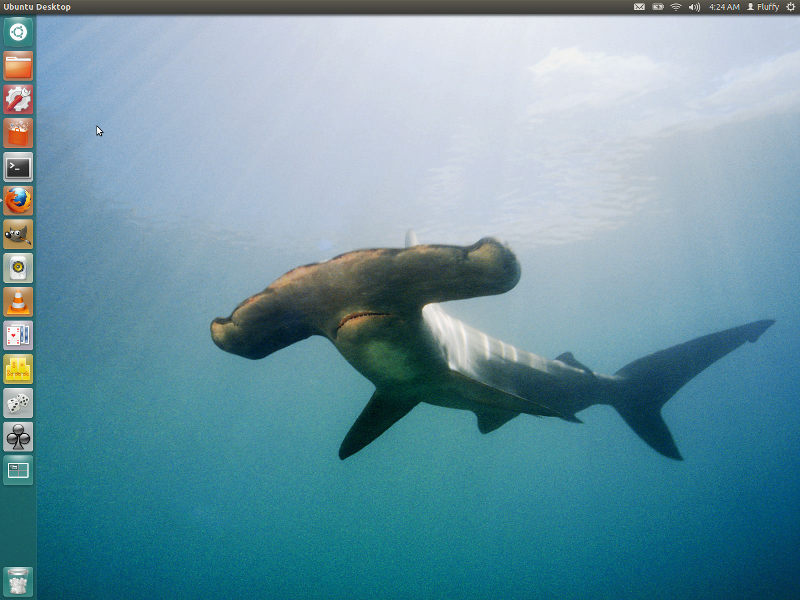
Moi aussi:

Image
ThinkPad L14 - 2.1GHz Ryzen 4650U | 16GB | 256GB | 14" FHD | Win11P
ProBook 470 G5 - 1.6GHz Core i5 | 16GB | 2.2TB | 17" FHD | Mint

innova
Posts: 4
Joined: Mon Sep 10, 2012 12:43 pm
Location: London, United Kingdom

Re: Linux desktop pics

#6 Post by innova » Tue Oct 23, 2012 5:58 am

Here is my T43P running Mageia,perfectly I may add. This is the LXDE desktop with Conky and Cairo Dock. Two pics,one clean and one busy.IP info deleted though :)
Image

Image
T43 & 3x T43p

Dawnbreaker
Freshman Member
Posts: 67
Joined: Sun Dec 04, 2011 6:27 am
Location: Svishtov, Bulgaria

Re: Linux desktop pics

#7 Post by Dawnbreaker » Mon Oct 29, 2012 7:40 am

updated wallpaper on kubuntu 12.10

Image
Current: Thinkpad Edge E540 15.4" - Core i5-4200M || 60GB Kingston V300 SSD + 500GB 7200rpm Hitachi Travelstar || 8GB RAM || Intel HD Graphics 4600 || PCLinuxOS 2015 64bit KDE

unix_joe
Junior Member
Junior Member
Posts: 383
Joined: Mon Jan 03, 2011 9:08 pm
Location: Pinehurst, NC

Re: Linux desktop pics

#8 Post by unix_joe » Tue Jan 08, 2013 11:09 pm

So cleaning out my storage closet for an upcoming move, I found enough parts to essentially build my next "desktop" computer. A T400 (8GB RAM and two HDDs!), a spare HP LCD monitor, and a Model M keyboard. Right now I'm using the T400 as intended (a laptop!), but after the move I plan to paint the Model M to emulate the T4x series keyboard.

Anyway, I've installed Scientific Linux 6.3 and configured it to my liking. I also found some unused Vista Business product keys, so eventually I will install that into a Virtual Machine. My portable machine will still be the X120e, it is too nice to sell and with the 4GB and SSD, runs Windows 7 like a boss.

Image
unix_joe
T14 Gen 1 and some older ThinkPads running Debian.

Dawnbreaker
Freshman Member
Posts: 67
Joined: Sun Dec 04, 2011 6:27 am
Location: Svishtov, Bulgaria

Re: Linux desktop pics

#9 Post by Dawnbreaker » Thu Jan 24, 2013 11:30 am

Bulgarian MiG-29 Fulcrum on Kubuntu 12.10

Image
Current: Thinkpad Edge E540 15.4" - Core i5-4200M || 60GB Kingston V300 SSD + 500GB 7200rpm Hitachi Travelstar || 8GB RAM || Intel HD Graphics 4600 || PCLinuxOS 2015 64bit KDE

ThinkRob
Senior ThinkPadder
Senior ThinkPadder
Posts: 2394
Joined: Wed May 20, 2009 9:54 am
Location: near RTP, NC

Re: Linux desktop pics

#10 Post by ThinkRob » Fri Jan 25, 2013 2:17 pm

From my T420 (Debian Wheezy w/ KDE 4.8.4).

[click for full image]

Image
Need help with Linux or FreeBSD? PM or catch me on IRC: I'm ThinkRob on FreeNode and EFnet.
Laptop: X270, running Fedora
Desktop: Intellistation 285 (currently dead)
Workstation: owned by my employer ;)
Toy: Miata!

tpprynn
Posts: 41
Joined: Thu Apr 19, 2012 1:15 pm
Location: Kent, UK

Re: Linux desktop pics

#11 Post by tpprynn » Wed Apr 10, 2013 4:52 am

Image

Didn't think I'd get this aged 900mhz/512mb T22 looking and working this well. This is Lubuntu 12.04.2 with Metacity set as the Window Manager and its compositing turned on in the configuration editor gconf-editor - does actually work more smoothly than a standard LXDE desktop. Evolve gtk and Metacity theme and a panel background made from a screenshot of the Tout theme I contributed to Linux Mint 14. This seems an overlooked viable means of getting a Gnome 2-style desktop without banking on Mate lasting.

unix_joe
Junior Member
Junior Member
Posts: 383
Joined: Mon Jan 03, 2011 9:08 pm
Location: Pinehurst, NC

Re: Linux desktop pics

#12 Post by unix_joe » Sun Apr 21, 2013 7:39 pm

Image

SL 6.4 on a Thinkpad X200.
unix_joe
T14 Gen 1 and some older ThinkPads running Debian.

Totoro-kun
Freshman Member
Posts: 76
Joined: Fri Jun 10, 2011 3:14 pm
Location: Kaunas, Lithuania

Re: Linux desktop pics

#13 Post by Totoro-kun » Fri Apr 26, 2013 11:40 am

Thinkpad X41 with Slackware 14.0 and XFCE 4.10 plain and simple, eficient desktop for this little companion pc.
Image

Next is T61 with Slackware64 14.0 and Mate 1.6
Image
IBM ThinkPad T61 7661-CTO 14,1" WXGA+ LED mod / T9550 / 4GB / 64Gb ssd / 750Gb Ultrabay hdd / Intel x3100 / Intel 5300 / WWAN / Webcam / 4 in 1 Card Reader / 9 cell Panasonic / NMB blank keyboard / Sata2 Mod / 1066FSB Mod

unix_joe
Junior Member
Junior Member
Posts: 383
Joined: Mon Jan 03, 2011 9:08 pm
Location: Pinehurst, NC

Re: Linux desktop pics

#14 Post by unix_joe » Fri Jun 28, 2013 9:08 pm

Image

Upgraded my SL6 system to Fedora 19 last night. The installer is still a mess, and I was sure that it would lose everything reusing a LUKS+LVM setup, but after a reboot everything worked fine. I was a hater of Gnome 3.x in the early days but it I spent the afternoon working with it and it is very efficient.
unix_joe
T14 Gen 1 and some older ThinkPads running Debian.

Post Reply
  • Similar Topics
    Replies
    Views
    Last post

Return to “Pictures of your ThinkPad & desk setup”

Who is online

Users browsing this forum: No registered users and 105 guests