Page 1 of 1
How to start a motherboard X380 yoga without power button?
Posted: Sat Jul 29, 2023 11:17 am
by likengmx
I have a X380 yoga motherboard, with fan and speakers i want to test.
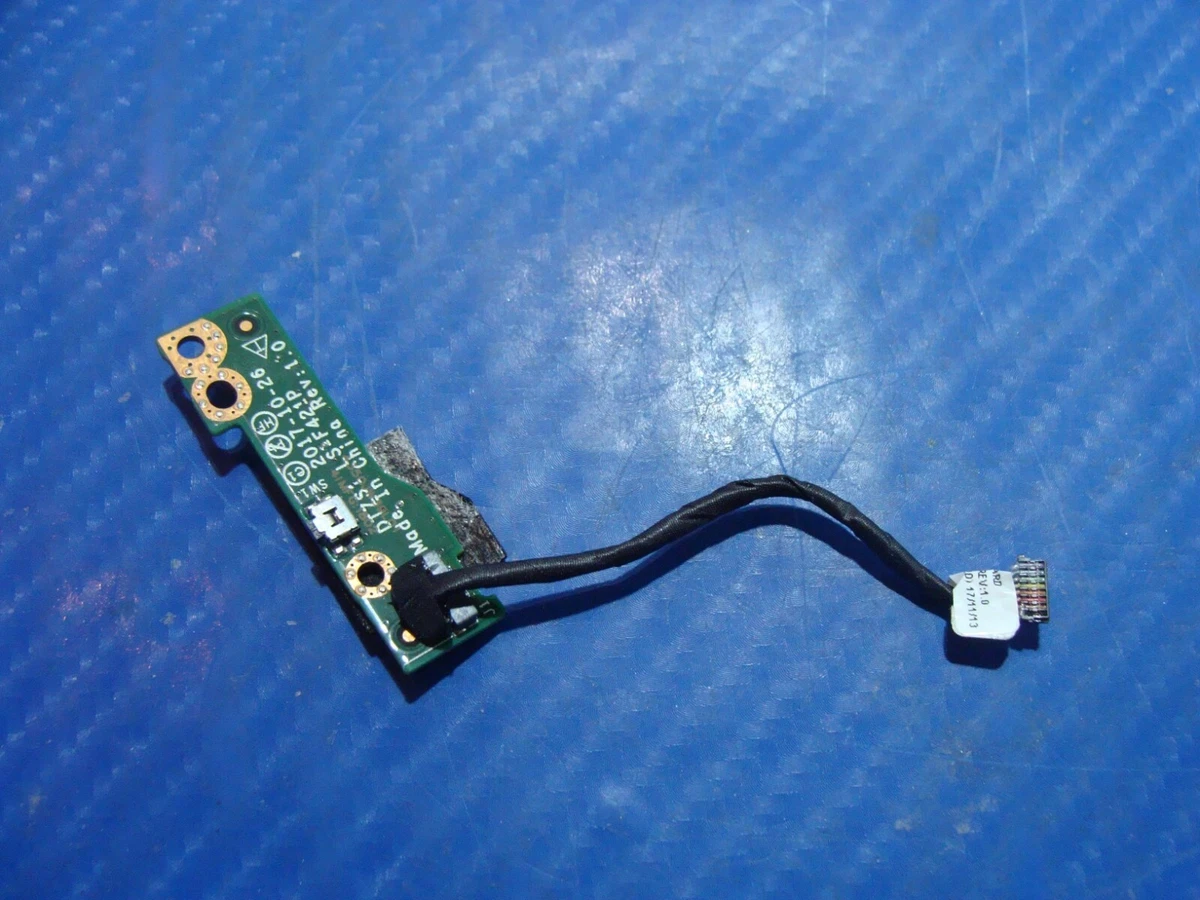
There is no power button, it is a board apart connected to mainboard with a 8 pin connector.
Re: How to start a motherboard X380 yoga without power button?
Posted: Sat Jul 29, 2023 2:06 pm
by TPFanatic
The plug-in Docks have a power button.
I am not sure how it is implemented but X380 Yoga's power button is on the right-hand side of the bottom case.
Re: How to start a motherboard X380 yoga without power button?
Posted: Sat Jul 29, 2023 3:50 pm
by likengmx
OK, but I only have the motherboard.
The power button is in this auxiliary board:
https://i.ebayimg.com/images/g/32wAAOSw ... l1200.webp
FORUM warning:
picture(s) WAY too big, tags removed. Please read the Forum Rules, especially Section 5: https://forum.thinkpads.com/viewtopic.php?f=16&t=14339
Re: How to start a motherboard X380 yoga without power button?
Posted: Sat Jul 29, 2023 6:22 pm
by Saucey
Don't these machines "wake up" once receiving power when the CMOS battery and main battery are disconnected?
Re: How to start a motherboard X380 yoga without power button?
Posted: Sun Jul 30, 2023 5:50 am
by likengmx
Saucey wrote: ↑Sat Jul 29, 2023 6:22 pm
Don't these machines "wake up" once receiving power when the CMOS battery and main battery are disconnected?
Correct. Disconnecting the CMOS battery the motherboard boots when connecting the power supply. Thank you.
Re: How to start a motherboard X380 yoga without power button?
Posted: Mon Jul 31, 2023 1:51 am
by Saucey
Yeet!

I wonder if the BIOS has an option to turn on when receiving AC power as well.
It's my current stopgap I have for the Dell I'm using.
Re: How to start a motherboard X380 yoga without power button?
Posted: Mon Jul 31, 2023 2:08 am
by RealBlackStuff
Yup, that X380 Yoga (in BIOS/Config) has an option Power On with AC Attach Enable/Disable.