I had to reinstall XP:
- Some updates couldn't be installed in Dutch XP.
- The Conexant chip wasn't detected because of my Logitech Z-5 speakers, even after I unplugged them.
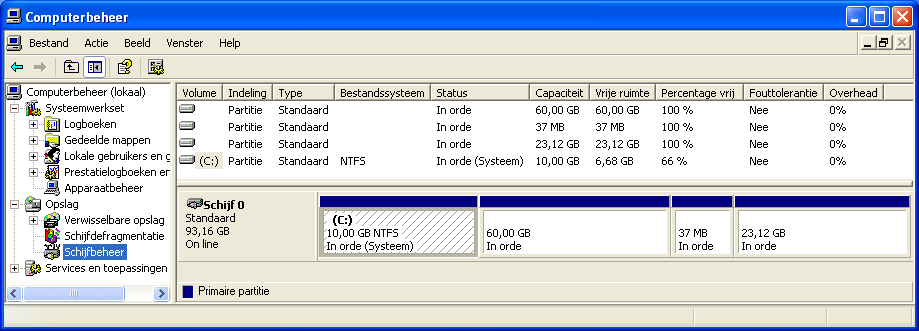
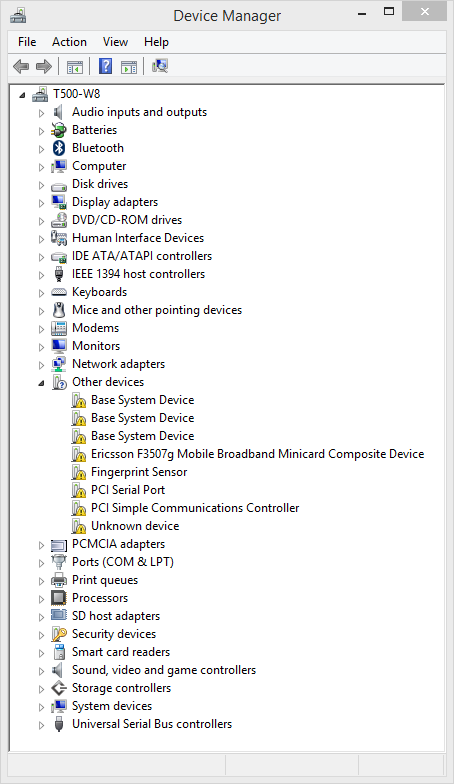
- 10 GB was soon too small. XP is only 1.6 GB, but the drivers were 1.2 GB and with all the .NET frameworks and MSVC++ redistributables installed there wasn't much free space left.
This caused that all the rest had to be reinstalled too.
I installed English XP SP3 x86.
I installed the frameworks.
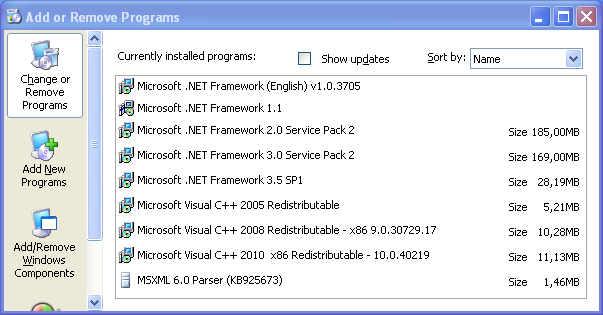
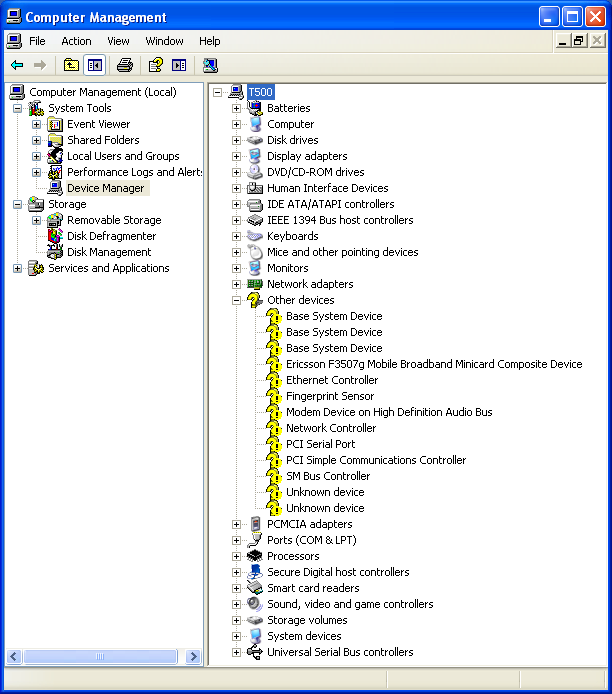
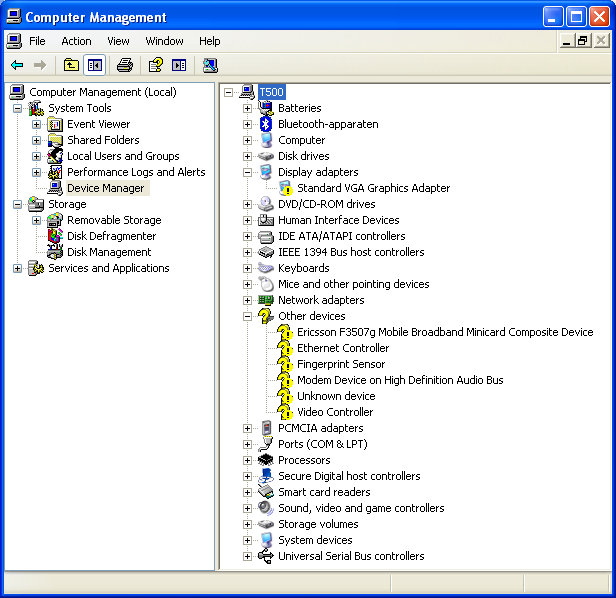
I had 16 uninstalled devices.
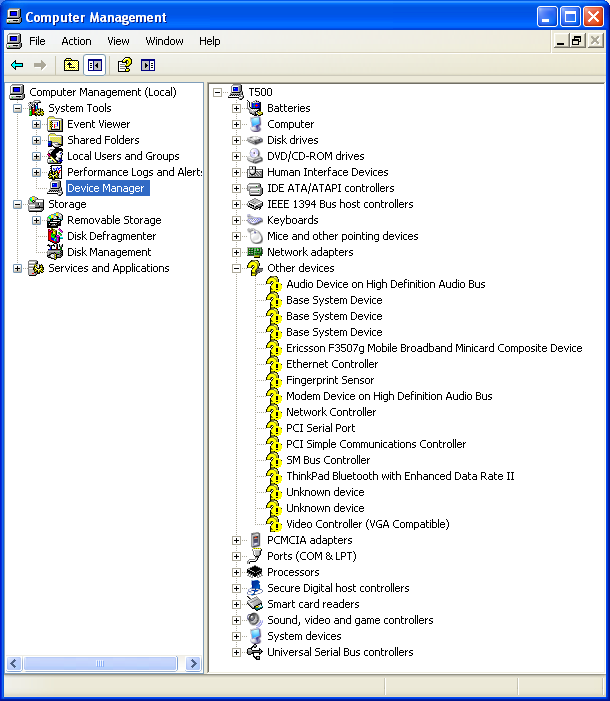
I ran these installers:
1. Audio
- Conexant audio features 3.64.15 = 6ea118ww.exe
2. Chipset
- Intel AMT 4.2 ME firmware update utility 4.2.60.1060 = 7ur6cdww.exe
- Intel AMT 4.2 local manageability service and serial over LAN driver 5.4.1.1016 = 7vr408ww.exe
- Intel AMT 4.2 management engine interface for Windows 4.2.0.1008 = 7vr308ww.exe
- Intel chipset support for Windows 2000&XP&Vista&7&8 9.3.0.1021 = g1ic09ww.exe
3. Display and video graphics
- ATI Catalyst install manager 3.0.790 = 7yd128ww.exe
- Presentation director = 7zua31ww.exe
- ThinkPad monitor file for Windows 2000&XP&Vista&7&8 4.38 = 79oi30ww.exe
4. Keyboard and mouse
- Synaptics ThinkPad UltraNav driver 16.2.19.14 = 6hgx81ww.exe
- ThinkPad UltraNav utility 2.13 = 7vgq14ww.exe
- ThinkPad keyboard customizer utility = 7kkd03ww.exe
5. Networking LAN (Ethernet)
- Intel PRO 1000 LAN adapter software for Windows XP 10.1.17 = 7vra23ww.exe
- WAT Enable WOL from S3 for Energy Star 1.8 = osfj09ww.exe
6. Networking wireless LAN
- Intel wireless LAN (11abgn) 14.3 = 8aw217ww.exe
7. Networking wireless WAN
- Ericsson wireless module = Vodafone and AT&T wireless WAN (HSPA) driver 1.0.1046.229 = 7uwc49ww.exe
- ThinkPad Lenovo mobile broadband for Windows XP&Vista 3.4.71 = 7twa71ww.exe
- ThinkPad UNDP Wireless WAN driver 6.0.7 = 7xwc27ww.exe
8. Storage
- Intel matrix storage manager driver for Windows XP&Vista 32bit&7 32bit 8.9.2.1002 = 6iim10ww.exe
- WAT Disabling tool for Intel turbo memory = 7kip05ww.exe
9. BIOS
- ThinkPad BIOS settings Windows 3.3 = 83ts04ww.exe
10. BlueTooth and modem
- ThinkPad Bluetooth with enhanced data rate software 5.5.0.9700 = 7vba20ww.exe
- ThinkPad modem adapter 7.80.8.50 = 6imb06ww.exe
11. Card reader
- Ricoh 4-in-1 card reader driver for Windows Vista&XP = 7kss55ww.exe
- SmartCard reader 4.0.0.8 = 7kxx13ww.exe
12. Fingerprint scanner
- Fingerprint software 3.3.2.50 = setup32_xpv.exe
13. Power management
- ACPI device driver = c1acp12us17.7z
- Lenovo power management driver 1.67.4.5 = gtku09ww.exe
- Power manager software 5.20 = ghu704ww.exe
14. TPM
- TPM device driver 1.0.4.15 = q5tpm04us13.exe
Some tips:
ATI Catalyst install manager 3.0.754
-> Don't change the proposed path.
Ricoh 4-in-1 card reader
-> Point the new hardware wizard 3 times to the folders in DRIVERS\WIN\4IN1: MS, SDMMC en XD.
SmartCard reader
-> Point the new hardware wizard to DRIVERS\WIN\SCREADER.
AHCI
-> Follow these instructies from
www.experts-exchange.com
1. Start the BIOS Setup Utility menu.
2. Select Config.
3. Select Serial ATA (SATA).
4. Select Compatibility.
5. Install Windows XP and Service Pack 2.
6. Download Intel Matrix Storage Manager Driver from the Web site and extract the driver to C:\DRIVERS\WIN\IMSM.
7. Run Intel Matrix Storage Manager Driver. To do this, go to C:\DRIVERS\WIN\IMSM\PREPARE, and double-click install.cmd.
8. Turn the computer off and then on again.
9. Start the BIOS Setup Utility menu.
10. Select Config.
11. Select Serial ATA (SATA).
12. Select AHCI.
13. Start Windows XP. The Welcome to the Found New Hardware Wizard appears.
14. Click No, not this time and click Next.
15. Select Install from a list or specific location(Advanced), then click Next.
16. Select Search for the best driver in these locations. Then select Include this location in the search:, specify the path, C:\DRIVERS\WIN\IMSM, and click Next. The Completing the Found New Hardware Wizard appears.
17. Click Finish.
18. When the System Settings Change window appears, click Yes. The computer
restarts.
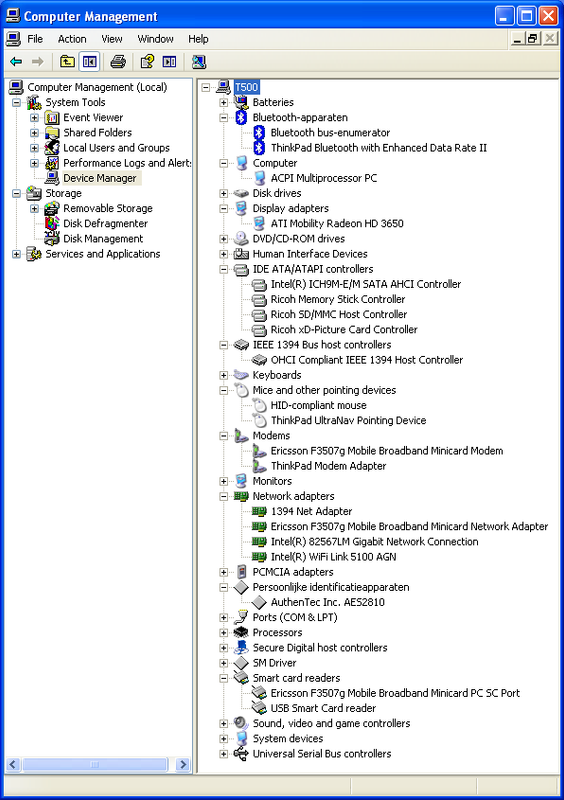
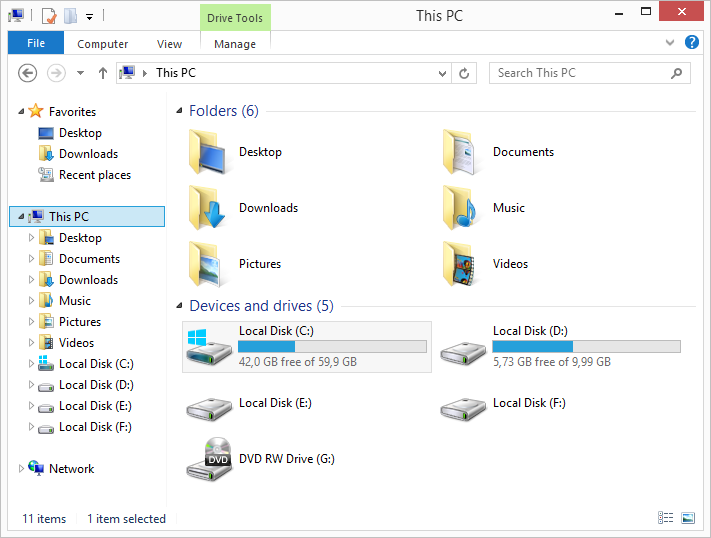
In Windows 8.1 the following devices are not installed:
Base system devices:
PCI\VEN_1180&DEV_0852&SUBSYS_20CB17AA&REV_11
PCI\VEN_1180&DEV_0843&SUBSYS_20C917AA&REV_11
PCI\VEN_1180&DEV_0592&SUBSYS_20CA17AA&REV_11
Ericsson F3507g Mobile Broadband Minicard Composite Device:
USB\VID_0BDB&PID_1900&REV_0000
Fingerprint Sensor:
USB\VID_08FF&PID_2810&REV_1703
PCI Serial Port:
PCI\VEN_8086&DEV_2A47&REV_07
PCI Simple Communications Controller:
PCI\VEN_8086&DEV_2A44&SUBSYS_20E617AA&REV_07
Unknown device:
ACPI\IBM0068\5&2890D699&0
Another problem: I don’t have the correct screen resolution.
I haven’t installed a thing yet in W8.


 Homepage
 Forum
Forum Drivers
 HMM-Manuals
 MTM
MTM Feed
Feed