Take a look at our
ThinkPads.com HOME PAGE
For those who might want to contribute to the blog, start here: Editors Alley Topic
Then contact Bill with a Private Message

X61 WLAN Upgrade

LARGE picture files allowed here. Those with slow connections, beware!!! do NOT go here on your PDA or Cell Phone!
Post Reply
Message
Author
TPFanatic
Senior ThinkPadder
Senior ThinkPadder
Posts: 2824
Joined: Thu Jul 30, 2015 11:29 pm

X61 WLAN Upgrade

#1 Post by TPFanatic » Sat Jun 10, 2023 11:28 pm

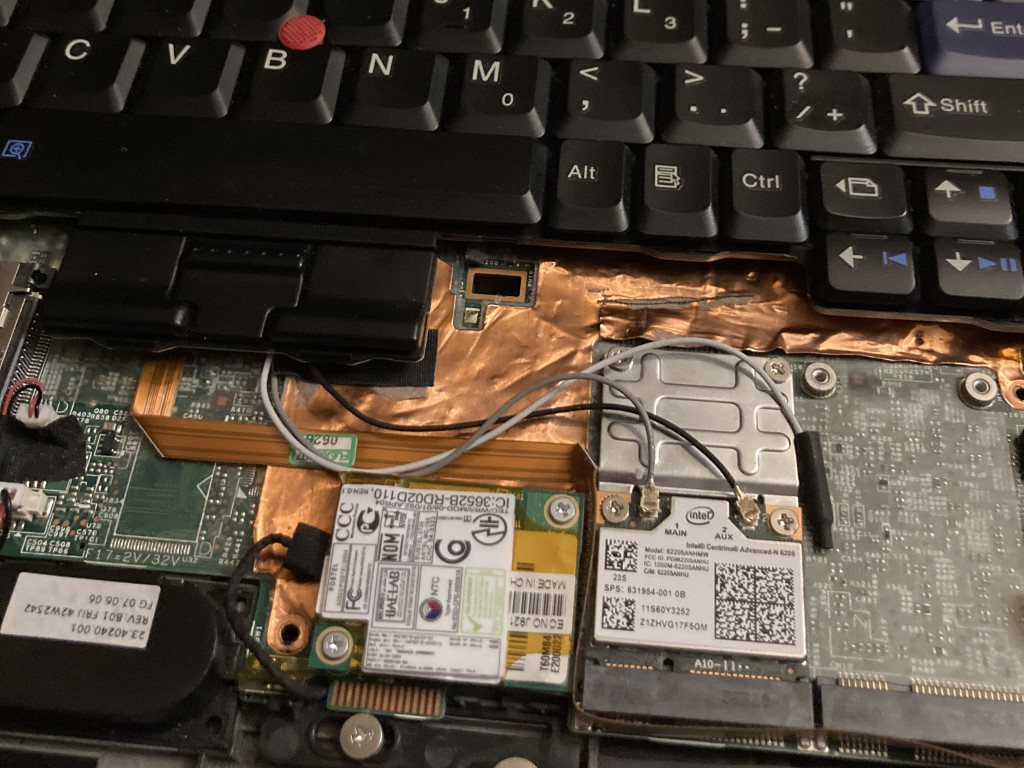
Decided it was time to service/upgrade the X61 Tablet we occasionally use with a fresh new CMOS battery and a WLAN upgrade thanks to the Middleton's unlock. Subsequently encountered the very common problem of stripped screws. :evil:

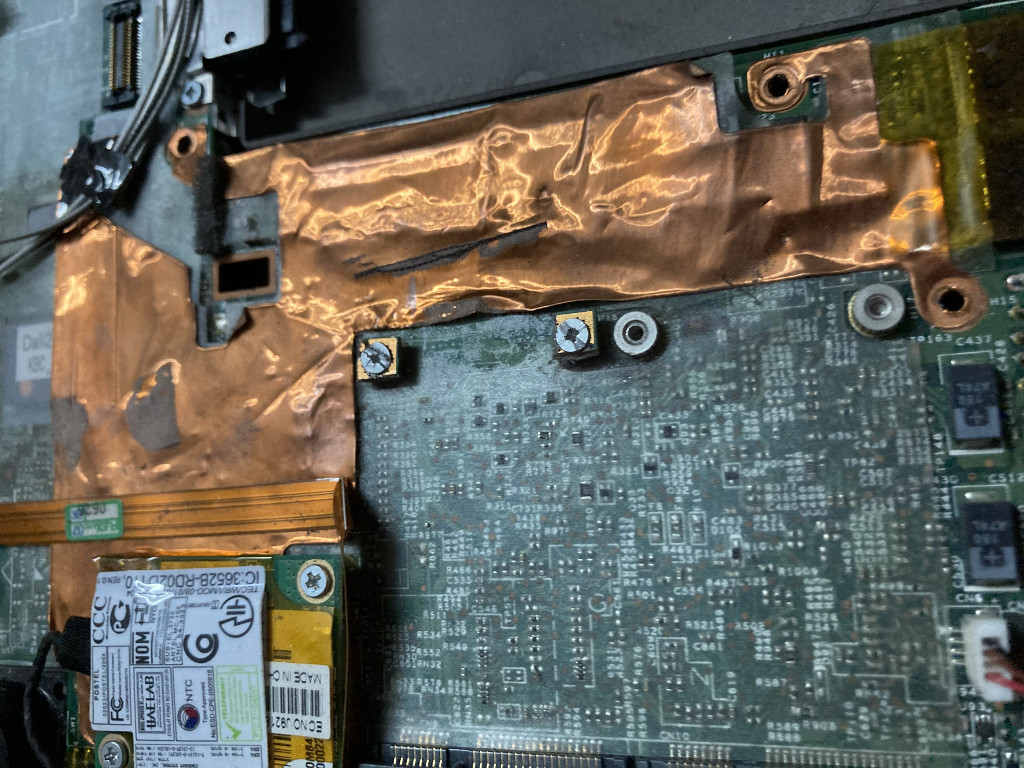
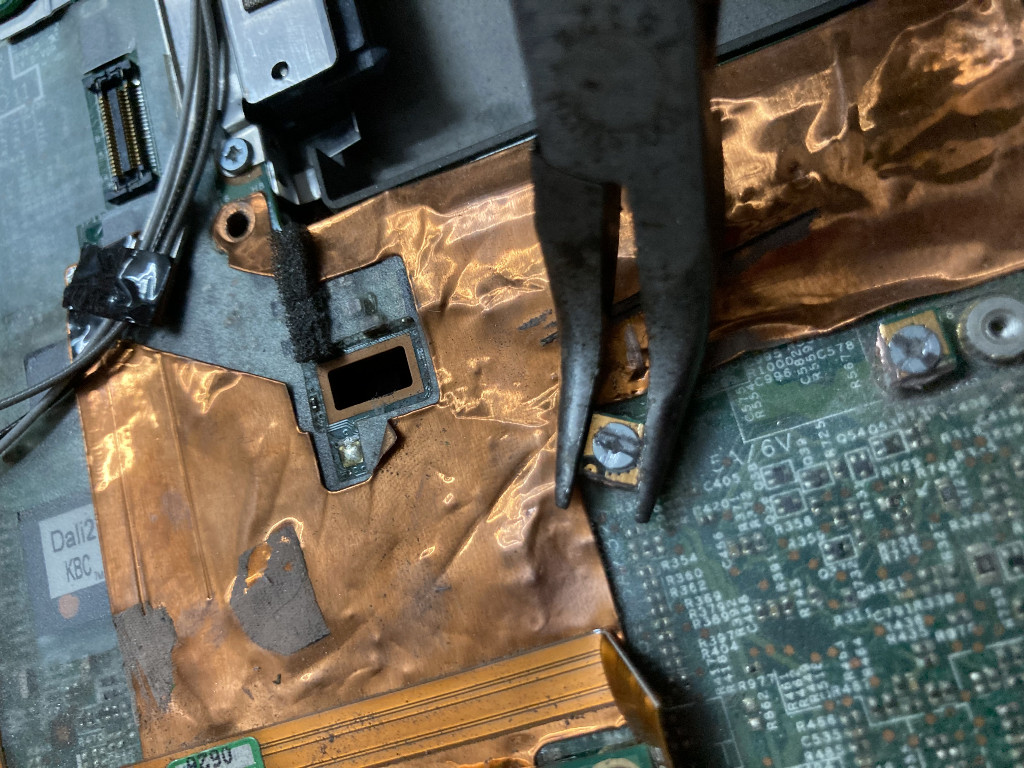
My dremel is wobbly so attempting to make the screws flat-blade compatible failed, leading me to just cut out the old WLAN card (4965 without N) instead. RIP to the otherwise functional card.

I could grab the remaining corners of the 4965 with a pliers and with some upward pulling loosen the screws. Now with a half-height 6205 the speed and temperature is improved and I'm not missing the 4965. I know there's other ways to remove the stripped scews but I was feeling brutish and didn't want to tape the disable pin to use it in the WWAN slot instead.
Image
Image
Image

RealBlackStuff
Admin Emeritus
Admin Emeritus
Posts: 24727
Joined: Mon Sep 18, 2006 5:17 am
Location: Loch Garman, Éire

Re: X61 WLAN Upgrade

#2 Post by RealBlackStuff » Sun Jun 11, 2023 12:03 am

If you still have one, you could also put in the (full-size, faster) 450Mbps AR9380.
Or go all out with a wifi-6 AX200HMW+bracket
Lovely day for a Guinness! (The Real Black Stuff)
But I actually prefer Murphy's from Cork!

TPFanatic
Senior ThinkPadder
Senior ThinkPadder
Posts: 2824
Joined: Thu Jul 30, 2015 11:29 pm

Re: X61 WLAN Upgrade

#3 Post by TPFanatic » Sun Jun 11, 2023 10:50 am

I'm still a luddite for Win 7 so Wifi 6 is no use to me. :( But I do own an AX210 in a MPCIE converter that I hope to use for Openwrt. Fwiw the m2 wifi on an adapter is too tall to fit under X60/X61 palmrest, so only the bootleg MPCIE versions would work in X60/X61. This also rules out an NVME SSD in the broadband slot. :evil: Clearance is not an issue in X200 body which recesses all MPCIE connectors under the motherboard.

Post Reply
  • Similar Topics
    Replies
    Views
    Last post

Return to “Pictures of your ThinkPad & desk setup”

Who is online

Users browsing this forum: No registered users and 35 guests